Sharing The RPS Map
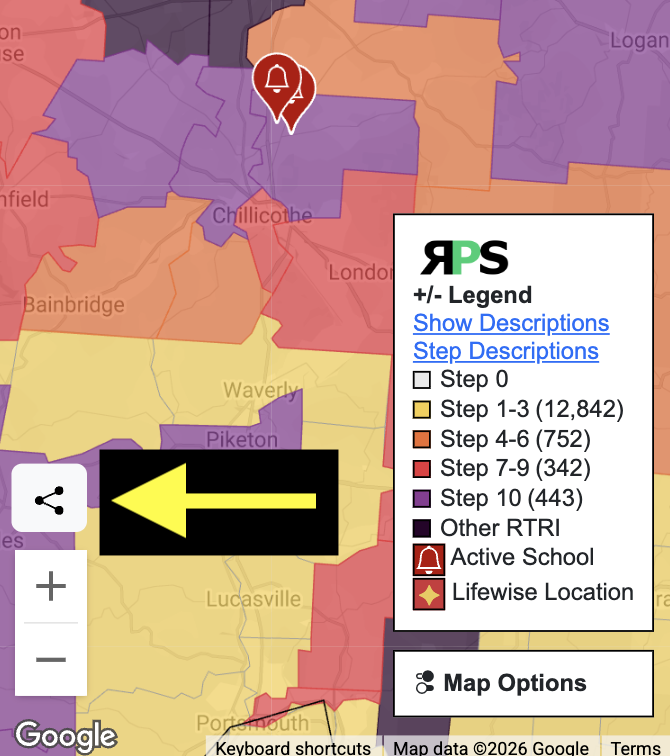
Sharing the RPS map is quick and easy. Click on the "share" button on the left of the map page. The current map view, along with location, zoom level, state filter, and district info window, will be copied into a link and pasted into your clipboard. Then paste that link into an email, text message, social media post, or any other location to share with others.
Embed The RPS Map Into Your Website
The RPS map can be embedded into your website using the same "share" link copied from the share button. When embedding the map, you can add the text "&embed" to the end of the URL, and the landing page and top menu will not be shown. This will provide a more integrated, seamless view of the map.
Sample embed code -
<iframe width="600" height="350" src="https://respectpublicschools.com/map.php?lat=40.2862&lng=-82.85961796874999&state=OH&zoom=7&embed"
    title="Respect Public Schools - Speak Out Against Lifewise Academy"
    frameborder="0" allow="clipboard-write; encrypted-media; web-share"
    referrerpolicy="strict-origin-when-cross-origin" allowfullscreen></iframe>
Respect Public Schools Public Data
The all-locations.csv file has a key column loc_id. This is the unique key RPS uses. The locations-step-history.csv file uses the loc_id field to link step and signature history to the main file. RPS was started around March 2024. The concept of keping a historical record of each district's progress came shortly after. There are periods of time where the Lifewise webiste chnages and the signature counts will somtimes drop to zero and then come back after the code was updated.
The GEOJSON file contains all school districts. The geodata has been simplified to prioritize loading and map use over low-level detail at zoomed-in levels.
The CSV files will be updated daily. The GEOJSON file is updated approximately every 6 hours.
Click the links to download.
All District and School Data - CSV
District and School Step History - CSV
RPS Map District Data - GEOJSON
GEOJSON field mapping for properties object